Deep Research capture
The product captures long-form ChatGPT and Gemini Deep Research reports.
Use case
User runs long-form Deep Research queries in ChatGPT or Gemini and wants those reports saved and searchable afterward, not lost in the provider’s own history. Be Mimos captures AI conversations locally and gives you a single searchable, exportable archive.
Product screenshot
A real product screenshot, not a mockup.
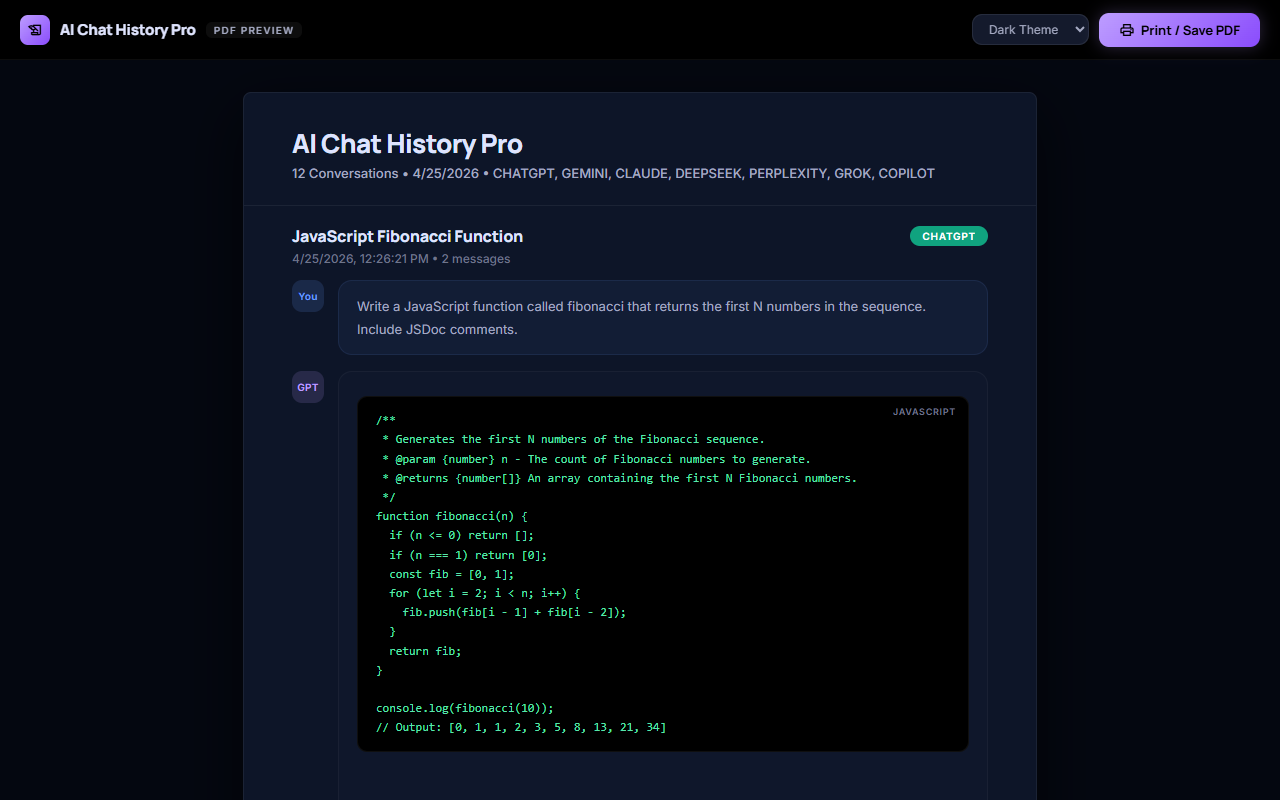
User runs long-form Deep Research queries in ChatGPT or Gemini and wants those reports saved and searchable afterward, not lost in the provider’s own history.
This isn't a single-platform habit — it's the same saved-history layer working the same way across every AI tool you already use, so the workflow below doesn't change depending on which provider a given conversation happened to start in.
The alternative most people fall back to — scrolling back through each provider's own history separately, or copy-pasting conversations into a personal notes app one at a time — breaks down quickly once you're using more than one AI tool regularly. A single saved-history layer that works the same way everywhere removes that per-provider bookkeeping entirely.
Grounded in what the product actually does today — not aspirational copy.
The product captures long-form ChatGPT and Gemini Deep Research reports.
None of this requires a separate setup step per platform. The extension attaches once, and every supported AI tool feeds the same saved history from then on — so the workflow above is something you do inside your normal AI usage, not a separate maintenance task layered on top of it.
Beyond saving and exporting, here is the full set of capabilities this comparison is based on.
The extension saves supported AI conversations as the user chats, with manual save available as a fallback.
Users can search saved AI conversations across supported providers.
The product includes semantic-style search positioned as local and privacy-preserving; competitive docs describe a browser-side TF-IDF hybrid search engine with zero API calls.
The product includes a curated prompt library plus saved personal prompts.
Users can reuse context from saved conversations and prompts in supported AI workflows.
Saved conversations can reopen the source provider page when the original URL is available.
The product captures long-form ChatGPT and Gemini Deep Research reports.
The product extracts code blocks, images, files, and selected provider artifacts into reusable exports or ZIP bundles.
The product is positioned as extracting PDFs from Gemini and Google Drive viewer flows without extra user copy/paste steps.
The product offers local-voice read-aloud playback with optional MP3 export.
"Best alternative" depends on what you are actually trying to solve. Here is who runs into this decision most often, and why.
They use multiple AI tools and lose track of which platform produced which answer or prompt workflow.
They need searchable AI history and backup without sending sensitive conversations to another vendor's chat database.
AI research pages, citations, math, files, and long reports are hard to preserve cleanly.
Native AI share links and screenshots are hard to reuse, brand, or archive.
The same local-first capture and export workflow described above runs on every supported platform, not just the one this page is about.
conversations are captured and saved automatically, ready for search or export whenever you need them.
chats are saved the moment you have them, with export available whenever you go looking for the conversation again.
every conversation is stored locally as it happens, so export is one click away instead of a copy-paste job.
conversations are captured and saved automatically, ready for search or export whenever you need them.
chats are saved the moment you have them, with export available whenever you go looking for the conversation again.
every conversation is stored locally as it happens, so export is one click away instead of a copy-paste job.
conversations are captured and saved automatically, ready for search or export whenever you need them.
chats are saved the moment you have them, with export available whenever you go looking for the conversation again.
every conversation is stored locally as it happens, so export is one click away instead of a copy-paste job.
conversations are captured and saved automatically, ready for search or research archive whenever you need them.
chats are saved the moment you have them, with export available whenever you go looking for the conversation again.
every conversation is stored locally as it happens, so export is one click away instead of a copy-paste job.
A saved conversation is not locked to one export format. Here is what each of the other supported formats is actually good for.
Markdown is the practical choice when the conversation needs to remain readable as plain text while preserving headings, lists, links, and code-friendly structure.
PDF is the strongest fit for a stable reading copy that can be shared, printed, attached to a record, or reviewed without requiring the recipient to edit the conversation.
Word or DOCX is useful when the conversation is only the starting point and the next step is editing, commenting, rewriting, or combining the answer with an existing document.
HTML is useful when the exported conversation should be opened in a browser, inspected as a web document, or used as the starting point for a private knowledge page.
JSON is the format to consider when the conversation must be handled as structured data for scripts, analysis, backup inspection, migration, or a custom processing workflow.
CSV is the right choice when the value of a conversation is in its structured, row-by-row data — not its prose — and the destination is a spreadsheet or a data pipeline rather than a document.
XLSX (Excel) is CSV's richer sibling — useful when the same structured, row-based conversation data needs real spreadsheet features like multiple sheets, column formatting, or formulas, not just raw values.
ZIP export is the practical choice when you need to move more than one conversation, or a conversation plus its attachments, in a single download instead of exporting each item individually.
Image export turns a conversation (or a specific answer) into a visual snapshot — the right choice when the goal is sharing something to look at, not a file to edit or reprocess.
Exporting to Google Docs is the right move when the next step is collaborative editing, commenting, or sharing inside Google Workspace, rather than working from a local file.
Plain text strips everything down to the words themselves — the most universal, dependency-free format for when you just need the content, with no formatting, markup, or file-type compatibility concerns.
ShareGPT format is a structured conversation-turn export built for fine-tuning or evaluating conversational AI models — not for reading, but for feeding into a training or evaluation pipeline.
Alpaca format restructures a conversation into instruction/input/output triples — the standard shape used for instruction-tuning AI models, not for casual reading.
Tavern format packages a conversation as a character-card-style chat log, built for AI roleplay and companion-chat applications rather than general document use.
Ooba format targets Oobabooga's text-generation-webui — useful when you're running or fine-tuning models locally and want a saved conversation available as chat history inside that specific tool.
Yes. User runs long-form Deep Research queries in ChatGPT or Gemini and wants those reports saved and searchable afterward, not lost in the provider’s own history. The product captures long-form ChatGPT and Gemini Deep Research reports.
Chat content stays local-first and is not uploaded to Be Mimos servers.
Available plans: Free (free), Pro Monthly ($4.99, per month), Pro Yearly ($39.99, per year), Pro Lifetime ($99.95, one time).
Users can search saved AI conversations across supported providers.
Sources say there is no analytics on chat content and no data mining of conversations.
Sources say there is no advertising tracking and no third-party advertising cookies.
Yes. The same capture, search, and export layer runs across all 12 supported platforms — Save ChatGPT and Gemini Deep Research reports isn't a feature limited to one provider.