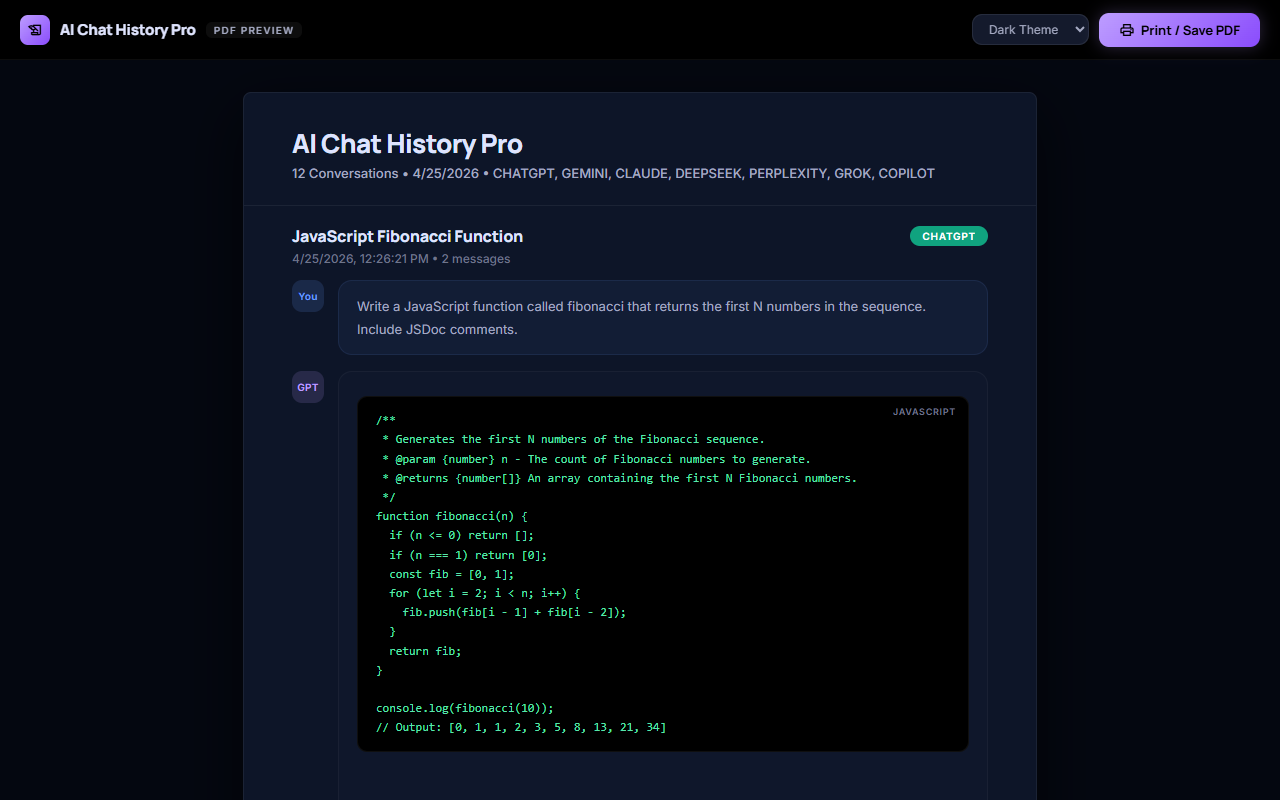
A saved conversation is not locked to one export format. Here is what each of the other supported formats is actually good for.
PDF
PDF is the strongest fit for a stable reading copy that can be shared, printed, attached to a record, or reviewed without requiring the recipient to edit the conversation.
DOCX
Word or DOCX is useful when the conversation is only the starting point and the next step is editing, commenting, rewriting, or combining the answer with an existing document.
HTML
HTML is useful when the exported conversation should be opened in a browser, inspected as a web document, or used as the starting point for a private knowledge page.
JSON
JSON is the format to consider when the conversation must be handled as structured data for scripts, analysis, backup inspection, migration, or a custom processing workflow.
CSV
CSV is the right choice when the value of a conversation is in its structured, row-by-row data — not its prose — and the destination is a spreadsheet or a data pipeline rather than a document.
XLSX
XLSX (Excel) is CSV's richer sibling — useful when the same structured, row-based conversation data needs real spreadsheet features like multiple sheets, column formatting, or formulas, not just raw values.
ZIP
ZIP export is the practical choice when you need to move more than one conversation, or a conversation plus its attachments, in a single download instead of exporting each item individually.
Image
Image export turns a conversation (or a specific answer) into a visual snapshot — the right choice when the goal is sharing something to look at, not a file to edit or reprocess.
Google Docs
Exporting to Google Docs is the right move when the next step is collaborative editing, commenting, or sharing inside Google Workspace, rather than working from a local file.
Plain Text
Plain text strips everything down to the words themselves — the most universal, dependency-free format for when you just need the content, with no formatting, markup, or file-type compatibility concerns.
ShareGPT
ShareGPT format is a structured conversation-turn export built for fine-tuning or evaluating conversational AI models — not for reading, but for feeding into a training or evaluation pipeline.
Alpaca
Alpaca format restructures a conversation into instruction/input/output triples — the standard shape used for instruction-tuning AI models, not for casual reading.
Tavern
Tavern format packages a conversation as a character-card-style chat log, built for AI roleplay and companion-chat applications rather than general document use.
Ooba
Ooba format targets Oobabooga's text-generation-webui — useful when you're running or fine-tuning models locally and want a saved conversation available as chat history inside that specific tool.